Bruisers 2D Boxing is Steam Deck Verified. What Valve's four checks actually confirmed, the external-controller caveat, and how to set the game up on Deck.
Bruisers 2D Boxing on Steam Deck: Verified, With One Caveat
Short answer: yes, Bruisers 2D Boxing runs on the Steam Deck, and Valve has rated it Verified rather than merely Playable. The report lists four passes — the default controller configuration is fully functional, the on-screen glyphs match the Deck's own buttons, the interface text is legible at Deck resolution, and the default graphics configuration is performant. The single knock against it is that external controllers are not supported for the primary player.
That is a better result than most Early Access indies get on launch week.
Status: Steam Deck Verified. Native Linux build: none — the Deck runs the Windows build through Proton. Source: Steam Deck compatibility report, app 3740090
What Verified means in Valve's terms
Valve sorts every game into one of four buckets: Verified, Playable, Unsupported, or Unknown. Verified is the top one and it is not a vibe check — it is a checklist:
| Check | Result for Bruisers |
|---|---|
| Default controller configuration fully functional | Pass |
| Controller glyphs match the Deck device | Pass |
| Interface text is legible | Pass |
| Default configuration is performant | Pass |
| External controllers supported for primary player | Note, not a pass |
The last row is why the game is Verified rather than perfect. It means that if you dock the Deck and hand a friend a controller, the primary player still needs the Deck's built-in controls. For a single-player career game that is close to irrelevant.
Valve's separate SteamOS report — which covers running on SteamOS generally rather than the Deck specifically — lists the game as Playable, with game startup confirmed functional and the same external-controller note. Same game, slightly stricter framing. The three-tier system itself is explained on Valve's Deck compatibility page.
The Linux question
There is no Linux build. The store page lists Windows and macOS only, which is exactly why the Deck result matters: the Deck is running the Windows version through Proton, Valve's translation layer. You are not getting a native port, you are getting a compatibility layer that Valve has tested and signed off on.
In practice that distinction rarely shows up in a 2D game. Bruisers is sprites, menus and a fixed camera, with a 1 GB VRAM floor and a 4 GB RAM floor — comfortably inside what the Deck offers. The system requirements page has the full spec sheet if you want to compare against a laptop.
Why this game suits the Deck
The structure fits handheld play better than most career sims:
- Fights are short. A bout is a few rounds, not a 45-minute mission. Suspend and resume works.
- The hub is menu-driven. Training, meals, the shop and matchmaking are all screens you can put down mid-decision.
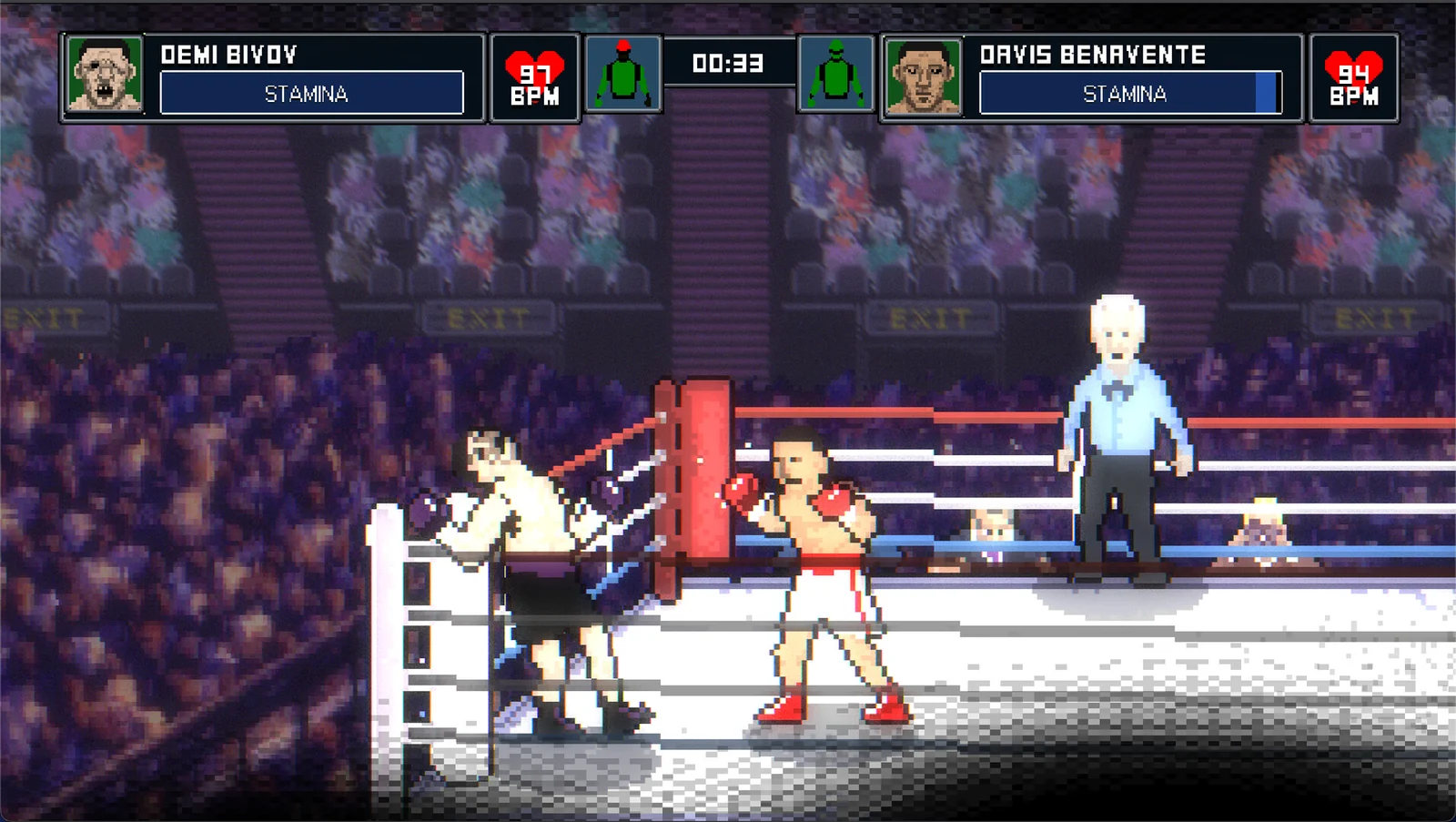
- Text is the risk, and it passed. Career mode leans on records, rankings, news blurbs and vitals readouts. Valve's legibility check is the one that matters most here, and it passed.
- No mouse-dependent UI. The game is built around a controller first. Nothing in the hub needs a trackpad.
The one thing that does not suit handheld play is the subject matter: losing a fight because you misread a stamina bar on a small screen is a real failure mode. Play docked when you are learning the punch system, then move to handheld once the reads are automatic.
Setting it up
- Install from your Steam library as normal. Proton version is chosen automatically; the default works.
- Leave the graphics preset alone on first launch. Valve tested the default and it passed the performance check, so the shipped settings are the safe baseline.
- Turn on the performance overlay if you want numbers. The developer has not published a frame-rate target for the Deck, so treat any specific FPS claim you see elsewhere as player measurement, not official data.
- Map nothing. The default layout is the one Valve verified — changing it is how people break glyph matching and end up with Xbox prompts on Deck buttons.
Battery life is not published officially. Given the 2D renderer and the modest spec floor, expect it to sit at the better end of what you get from 3D games on the same hardware, but that is inference from the requirements, not a quoted figure.
What about the controls themselves
The punch system maps five punch types plus slipping, parrying and head movement. On Deck the face buttons and triggers carry that load, and the glyph pass means the game tells you which button is which rather than showing a generic pad layout. If you want the full mapping before you buy, the controls and gamepad page walks through it.
Local split-screen is the one feature to check before you plan a docked session. Quick play supports shared-screen PvP, and the external-controller limitation applies: the second player can use a pad, the first player is on the Deck. The multiplayer page explains how that mode is set up.
Bottom line
If the Deck is your main machine, Bruisers is a safe purchase. Verified status on an Early Access launch build is uncommon, the game's spec floor is far below the hardware, and the genre fits short handheld sessions. The caveats are the missing Linux build — irrelevant if you stay on SteamOS — and the external-controller limitation, which only bites in docked local play.
FAQ
Is Bruisers 2D Boxing Verified or Playable on Steam Deck? Verified. Valve's report for app 3740090 returns the top category, with the only note being that external controllers are not supported for the primary player.
Does it run natively on SteamOS? No. There is no Linux build; the Deck runs the Windows version through Proton.
Do I need to change the Proton version? No. Valve tested the default configuration and passed it, so leave it alone unless you hit a specific bug.
Can two people play on a docked Deck? The second player can use a controller. The first player stays on the Deck's built-in controls.
More Bruisers 2D Boxing Guides
Full career mode walkthrough for Bruisers 2D Boxing: amateur bouts, the pro ladder, rankings, purses and the champion route.
A free Bruisers 2D Boxing demo has been on Steam since January 2026, Windows only. What it covers, how it differs from launch, and what to test.
The official Bruisers 2D Boxing system requirements for Windows and Mac, what the 1 GB VRAM floor means, and how to keep a low-end laptop playable.
Who the trainer is in Bruisers 2D Boxing, why there is no coach to hire or pay, what actually improves your fighter, and what a cheat trainer really does.
How the clinch works in Bruisers 2D Boxing: tie-ups, clinch punching, referee breaks, headbutt disqualifications and the in-fighting stance.
Whether Bruisers 2D Boxing is coming to PS5, Xbox or Nintendo Switch, what the store page says, and how likely a console port really is.
How the controls work in Bruisers 2D Boxing: moving, punching high and low, slipping, parrying, clinching and the corner mini-game inputs.
A guide to the between-round corner in Bruisers 2D Boxing: swelling drain, cut repair, tool switching, pressure and how to stop a fight being stopped on you.