The official Bruisers 2D Boxing system requirements for Windows and Mac, what the 1 GB VRAM floor means, and how to keep a low-end laptop playable.
Bruisers 2D Boxing System Requirements: PC and Mac Specs
Short answer: Bruisers 2D Boxing is a light game on paper. The developer lists a 64-bit Windows 10 machine with a dual-core 2.0 GHz CPU, 4 GB of RAM, a DirectX 11 card with 1 GB of VRAM and 1 GB of free storage. A Mac needs macOS 11 Big Sur, an Intel Core i5 or Apple Silicon M1, and the same 4 GB of RAM. The one line people skip is the last one: a controller is recommended, and after a few hours you will understand why.
Windows 10 64-bit, dual-core 2.0 GHz, 4 GB RAM, DX11 GPU with 1 GB VRAM, 1 GB storage. Mac: macOS 11+, Intel i5 or M1, 4 GB RAM. Controller recommended on both. Source: Bruisers 2D Boxing on Steam
The official minimum specs
| Component | Windows | macOS |
|---|---|---|
| OS | Windows 10 (64-bit) | macOS 11 Big Sur |
| Processor | Dual-core 2.0 GHz | Intel Core i5 or Apple Silicon (M1) |
| Memory | 4 GB RAM | 4 GB RAM |
| Graphics | DirectX 11 compatible, 1 GB VRAM | Any Mac that runs macOS 11 |
| DirectX | Version 11 | Not applicable |
| Storage | 1 GB available space | 1 GB available space |
| Extra | Controller recommended | Controller recommended |
That is the whole list. There is no recommended-tier entry, no "high" preset published, and no Linux build. The store page lists Windows and macOS as supported platforms, and Linux is not one of them.
What a 1 GB VRAM floor actually means
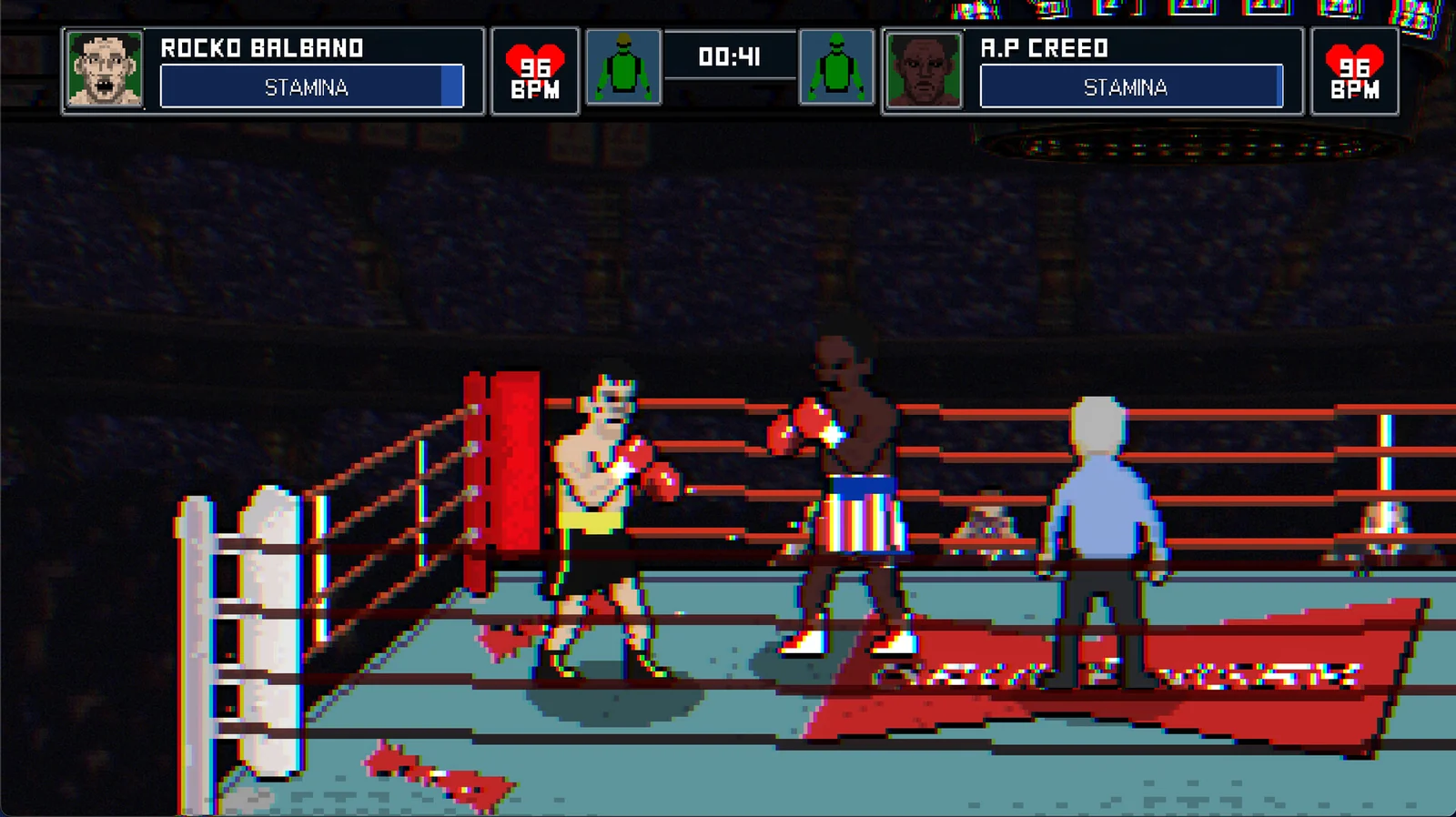
The pixel art hides the cost. Bruisers is 2D sprites and a fixed camera, so the GPU is doing very little compared with a 3D game: the card's job is mostly blitting layers and keeping the frame steady. A 1 GB VRAM requirement is a compatibility gate rather than a performance target. Anything from the last decade with DirectX 11 support clears it.
The CPU line matters more than it looks. A dual-core 2.0 GHz is a floor from an era of laptops that are still in drawers, and the game's simulation layer — career clock, rankings, news feed, AI decisions between rounds — runs on the CPU, not the GPU. If you are on an old ultrabook with a 15 W dual-core, expect the menu and hub screens to feel heavier than the fights.
The 4 GB RAM figure is the one that ages worst. Windows 10 alone can idle near 2 GB, and a browser with a few tabs eats the rest. On a 4 GB machine, close the browser before you launch. On 8 GB or more, this requirement is irrelevant. Steam's own hardware survey shows how far above this floor the average gaming PC sits.
Mac support is real, and narrower than it sounds
Bruisers ships a native Mac build, which is unusual for a small Early Access boxing game. The requirement is macOS 11 Big Sur or newer on either an Intel Core i5 or an M1-class Apple Silicon chip. "Any Mac that runs macOS 11" is the graphics line, which is the developer's way of saying the integrated GPU is enough.
Two caveats worth knowing before you buy on a Mac:
- The demo is Windows-only. The free trial listed on Steam does not cover macOS, so you cannot test the Mac build for free. Details are on the demo page.
- Controller support is listed as "recommended", not "full", for Mac. The store page's full controller support flag is tied to the Windows build. Plug in a DualShock or Xbox pad and expect it to work; expect the button prompts to be less polished than on PC.
If Mac is your only machine, the safer read is that the game will run, but the platform gets less attention than Windows during Early Access. The platform breakdown covers what is and is not shipping where.
Linux and the Steam Deck exception
There is no Linux build. That does not mean the game is unplayable on Linux hardware: the Steam Deck runs Bruisers through Proton and Valve has rated it Verified, which is a separate compatibility layer doing the work. If you are on desktop Linux, Proton through Steam is the same path, but it is unsupported and the developer does not list it.
The Deck result is covered in detail on the Steam Deck page, including the one caveat Valve attached to the rating.
Controller or keyboard
Keyboard works. A controller is better, and the store page says so twice — once in the spec sheet, once in the feature list. The reason is the punch system: jabs, straights, hooks, uppercuts and overhands are mapped to distinct inputs, and the defensive layer wants analogue-ish precision for slipping and head movement. A pad gives you both thumbs on the job. The controls page breaks down the mapping.
If you are weighing the purchase against the $19.99 asking price, the specs should not be the deciding factor. Almost any machine built after 2015 clears them. The real question is whether an Early Access career sim is for you, which the review page answers at length.
FAQ
Will it run on integrated graphics? Yes, if the iGPU supports DirectX 11 and the system has 4 GB of RAM. The 1 GB VRAM line is about shared memory on integrated chips; modern ones allocate that without issue.
Does it need an SSD? No. The install is 1 GB and the game loads screens, not streaming worlds.
Is there a recommended spec? The developer has not published one. Only the minimum is listed on the store page.
Does the Mac version need Rosetta? On Apple Silicon the store lists M1 as supported, and nothing in the requirements mentions Rosetta. Whether the build is universal or translated is not stated officially.
Will my laptop fans spin up? On a dual-core machine, yes during the hub and menu screens. The fights themselves are the light part.
Does Bruisers 2D Boxing run on Windows 11? Yes. Windows 10 64-bit is the minimum, and Windows 11 satisfies it. Nothing in the spec sheet is version-sensitive beyond the DirectX 11 requirement.
How much disk space does it really take? The store lists 1 GB. That is the install size, not a download estimate, and it is small enough that an SSD versus hard drive makes no practical difference.
Is there a way to check performance before buying? The free Windows demo is the only option. macOS has no demo build, so Mac buyers go on the spec sheet alone.
More Bruisers 2D Boxing Guides
A free Bruisers 2D Boxing demo has been on Steam since January 2026, Windows only. What it covers, how it differs from launch, and what to test.
Bruisers 2D Boxing is Steam Deck Verified. What Valve's four checks actually confirmed, the external-controller caveat, and how to set the game up on Deck.
Who the trainer is in Bruisers 2D Boxing, why there is no coach to hire or pay, what actually improves your fighter, and what a cheat trainer really does.
How the clinch works in Bruisers 2D Boxing: tie-ups, clinch punching, referee breaks, headbutt disqualifications and the in-fighting stance.
Whether Bruisers 2D Boxing is coming to PS5, Xbox or Nintendo Switch, what the store page says, and how likely a console port really is.
How the controls work in Bruisers 2D Boxing: moving, punching high and low, slipping, parrying, clinching and the corner mini-game inputs.
A guide to the between-round corner in Bruisers 2D Boxing: swelling drain, cut repair, tool switching, pressure and how to stop a fight being stopped on you.
How the Darknet works in Bruisers 2D Boxing: buying dope, gear and services off the books, what it costs, and how the risk lands on your fighter.